
Billing and security
Invite your team and choose their role
Invite people by email, choose what each one can do, and remove someone when they leave.
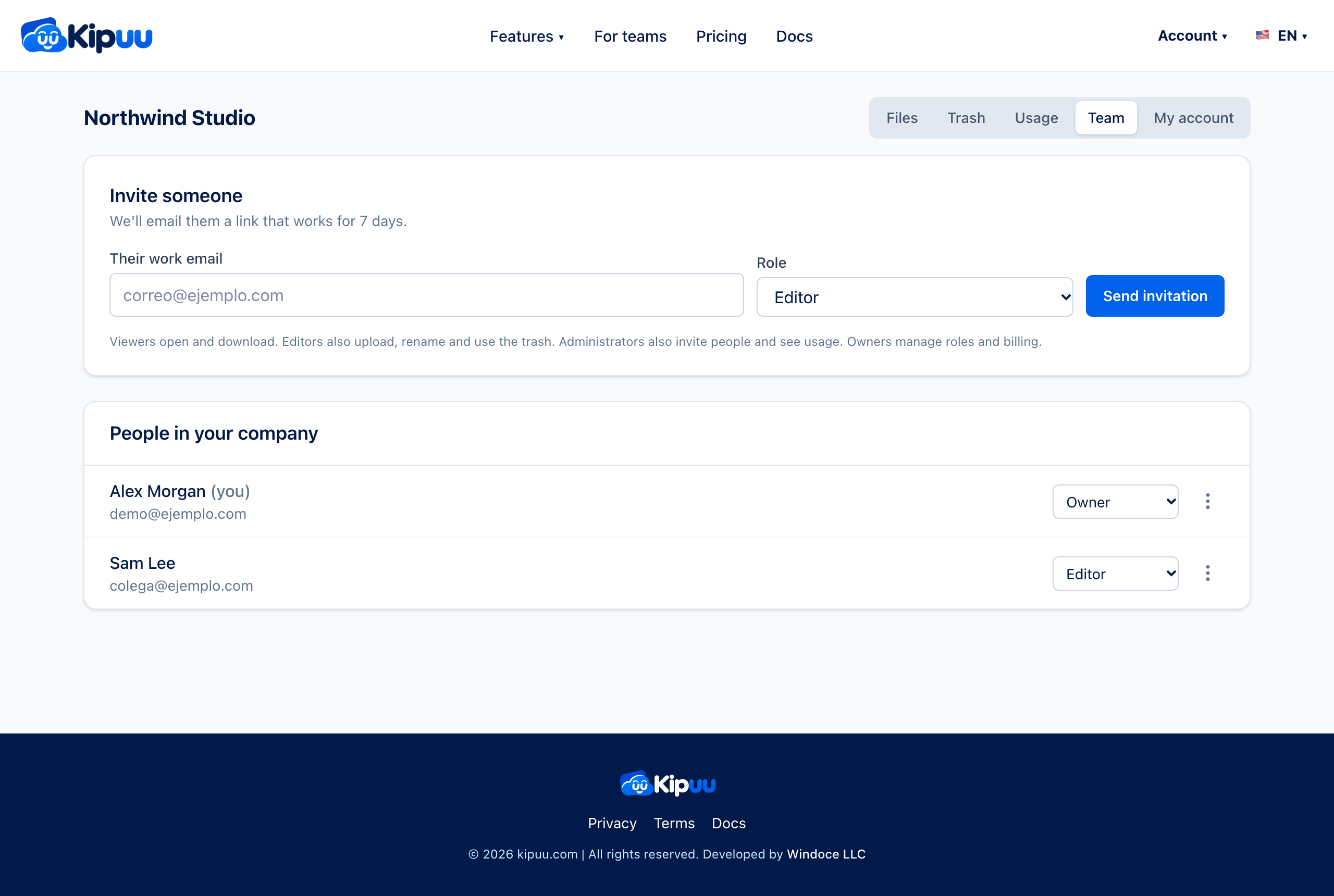
- Open the Team tab in the panel.
- Type the person's work email and choose a role.
- Tap Send invitation. Kipuu emails them a link that works for 7 days.
- They open the link, sign in or create their account with that same email, and join your company.
Give each person only their folders
When you invite someone, choose Whole company or Only these folders. With Only these folders, that person sees the folders you pick and everything inside them, and nothing else: not in search, not in Recent, not in Favorites. Each folder can have its own role, viewer or editor. Administrators always see the whole company.
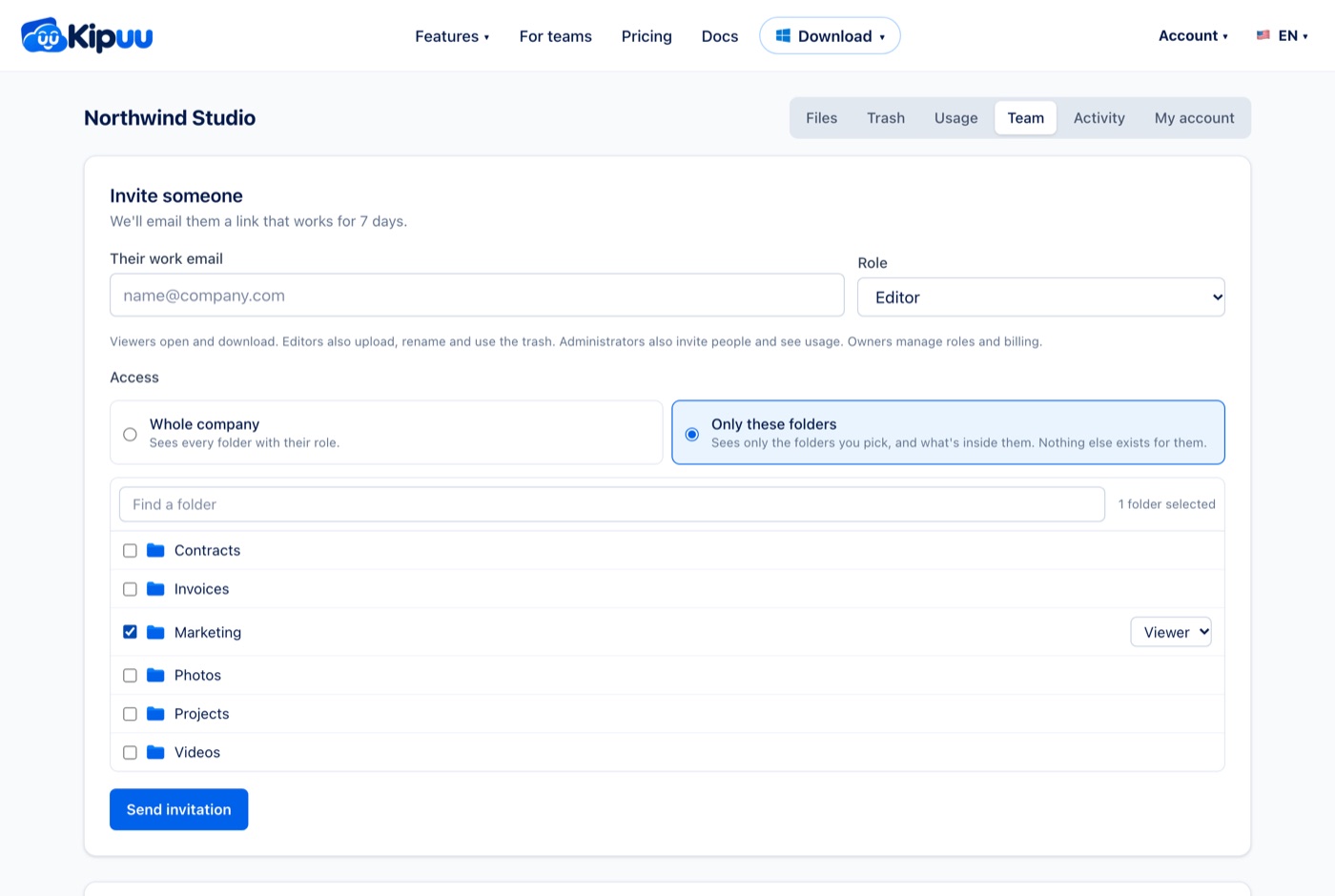
- In Team, type the person's email and choose their role.
- Under Access, choose Only these folders and check the folders they need. Use the search box if your company has many.
- Tap Send invitation.
- To change it later, open the three dots next to the person and choose Change access. You can add or remove folders, or give them the whole company.
When that person signs in, on the web, the phone, the Mac or Windows, Kipuu opens in My folders with only what you gave them. What they upload stays in your company, inside those folders.
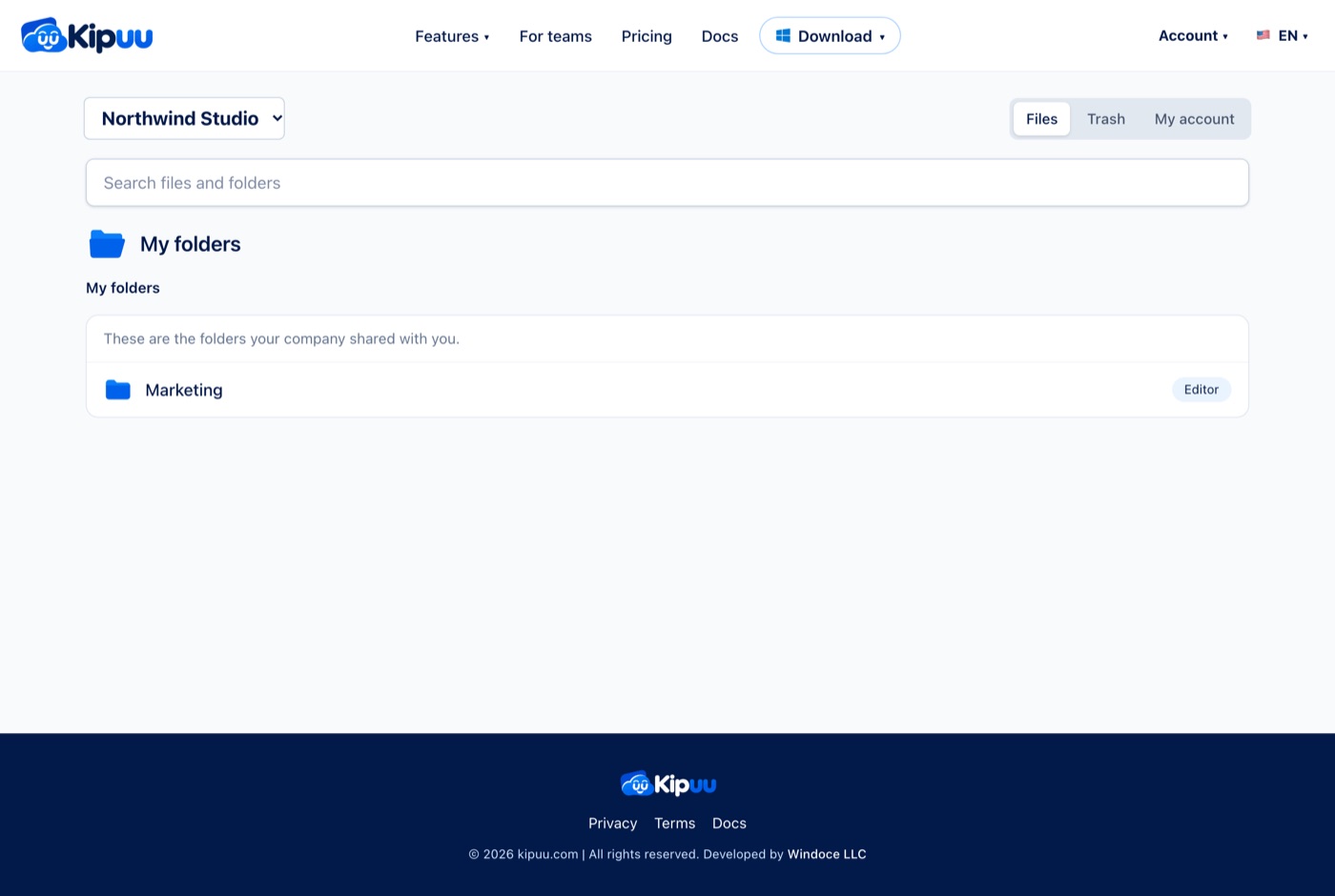
Each company's files are kept apart from every other company's. If someone belongs to two companies, they pick which one to see, and the files never mix.
The roles
- Viewer: opens and downloads files.
- Editor: also uploads, creates folders, renames and uses the trash.
- Administrator: also invites people and sees usage and invoices.
- Owner: also changes roles and manages billing. A company always keeps at least one owner.
Change a role or remove someone
Owners change a role with the list next to each person. To remove someone, open the three dots next to them. The files they uploaded stay in the company. Anyone can leave a company the same way.
If you belong to more than one company, choose which one to see with the list at the top of the panel.